According to Google, “Google Chrome OS is an open source, lightweight operating system that will initially be targeted at netbooks. Later this year we will open-source its code, and netbooks runningGoogle Chrome OS will be available for consumers in the second half of 2010. ” Google Chrome OS has been making quite a hype since it’s announcement below. Several websites have posted screenshots claiming them to be the leaked screenshots of Chrome OS, but most of them have been verified as fake.
While Google is getting us excited before the actual release, a designer at DeviantART has come up with a Chrome OS Transformation Pack that could transform your Windows XP with the Chrome OS looks.
THE PROGRAM: !4D AudioPlayer SGLX v1.5 Copyright (c) 2003-2004 by Alex Kheifets, SGLX MathPictures, Inc. INTRODUCTION "!4D AudioPlayer SGLX" is a program using a powerful "Stereo Base Enhancing Effects System" ("4D") to play usual Audio files and CD Tracks. TRY IT and COMPARE THE SOUND WITH ANOTHER PLAYERS! Additional Features of the Prograam are: 1. Reverberation effects 2. Compatibility with WinAMP PlayList files 3. 20-Channels Equalizer 4. Spectrum analyzer 5. There is no necessity in connection of a sound card and CD-driver by means of cord. The Program works as a traditional Audio player. But using the "Stereo Base Enhancing Effects System" make sound better than another traditional systems. THE SYSTEM REQUIREMENTS: 1. PC-compatible computer, like as P3-500MHz or better. 2. Windows 95/98/2000/2k/XP/ INSTALLATION - REMOVAL: For installation use Setup.exe file. For uninstallation use uninstaller in the Program's group or Control Panel. SHAREWARE LIMITATION: Nag Screen
HiFi MP3 OGG Converter is a ease-to-use tool that directly converts audio format MP3, OGG from one format to another. without no temp file included. You can resample your MP3 and ogg files with HiFi MP3 OGG Converter. HiFi MP3 OGG Converter gives you the option of setting the bitrate and frequency of created files, supports CBR and VBR. It digitally converts the audio files - not through the soundcard - which enables you to make perfect copies of the originals. HiFi MP3 OGG Converter Supports batch conversion. Click the mouse and forget about it, HiFi MP3 OGG Converter will finish the conversion automatically. There is a audio player built in HiFi MP3 OGG Converter. You can edit ID3 information with the ID3-Editor built in. Looking for a tool to do conversion between MP3, WMA, WAV and OGG? Try it. You won't be disappointed by HiFi MP3 OGG Converter! HiFi MP3 OGG Converter has user-friendly-interface and converting your files is just a button click away. You'll be an expert in no time!
Making sure you’ve got a reliable backup solution is a must for any user – and more so for an administrator. Why? Well, mostly because your users probably aren’t very good at remembering to back up their own files. And so it falls to you to provide the right software for the job!
Backup software is a difficult category to tackle nowadays as the distinction between backup and synchronization apps has become a little blurred. Prices being what they are, my personal choice is to use external or removable hard drives for my backup chores – my current favorites are Bonkey and Cobian.
To make sure you’ve got plenty of options to choose from, I’ve split this list into three different categories so that you can choose from the options that are best suited to your environment.
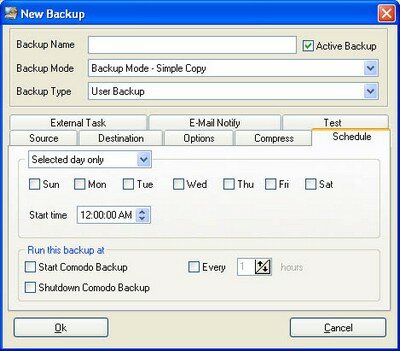
They do make than a great firewall. Comodo Backup is an excellent free solution. It has extremely flexible scheduling and notification options, supports FTP destinations, can burn multisession DVDs, and has a synchronization mode for quick realtime backups.
As is the case with most backup applications, there’s a free and paid version. The free one still handles CD/DVD backups, and it also does incremental .zip jobs as well – only backing up files that have changed or weren’t present in your previous job.
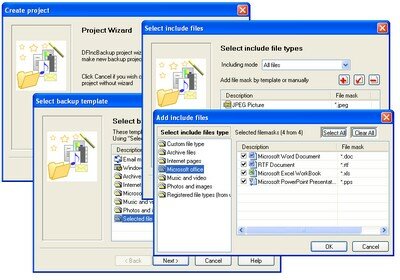
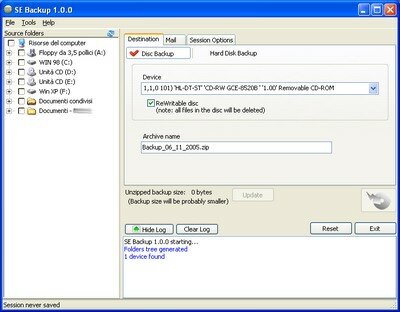
Sports a very simple interface, does CD and DVD burning and compression, and is available as a portable application. Scheduling isn’t built in, but it supports command line launching with parameters which works very well with Windows’ own Task Scheduler.
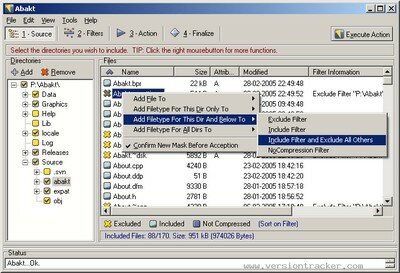
Though it’s no longer developed, Abakt is still a great choice. It’s got a great file filtering system, supports 7zip and zip compression, file splitting, password protection, and does differential and incremental backups.
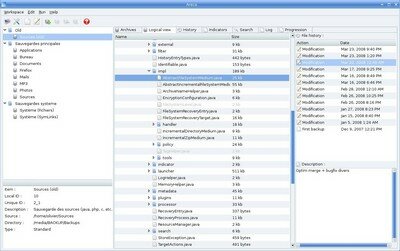
Free, open source, and wicked powerful. Areca is loaded with features: compression, encryption, simulation, merging, transaction commit/rollback, filtering, and more. It’s command line interface provides excellent automation options and Areca also supports scripting of post-job actions. Bonkey (Windows and MacOS)
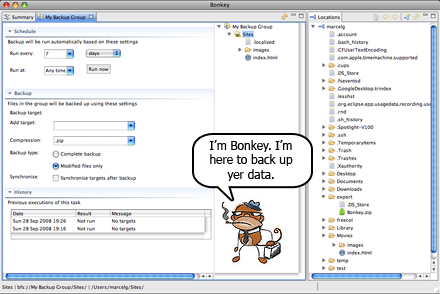
The “Backup Monkey.” If I was giving points for best mascot, this one would be a clear winner.
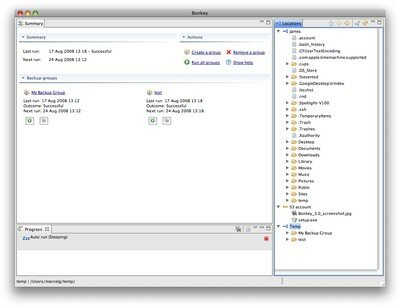
Bonkey runs on both Windows and Mac, and has a lot of great features. It supports email, FTP, and Amazon S3, compression, encryption, scheduling, and synchronization. It’ll even back up MS SQL server databases.
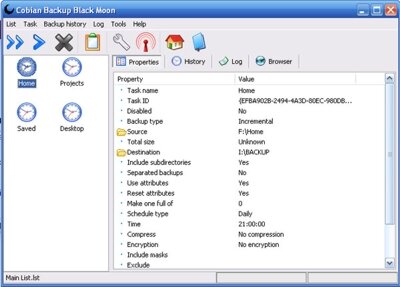
Apart from being a great application, Cobian’s developer has an excellent tutorial online to help you get started. Though it is no longer open source, you may still download the last version that was (v8). There’s also a portable version.
One of my favorite features of Cobian is its ability to handle pre- and post- job events. I use it to issue net stop and net start commands to ensure safe backups of our horrible, horrible point-of-sale system. Cobian also has the ability to control and monitor all its instances on your network from your own workstation.
Allows backup to FTP and email (as well as any drive on your computer or network), and sports a flexible scheduler. It also has a file monitor function that will perform backup operations whenever changes are detected.
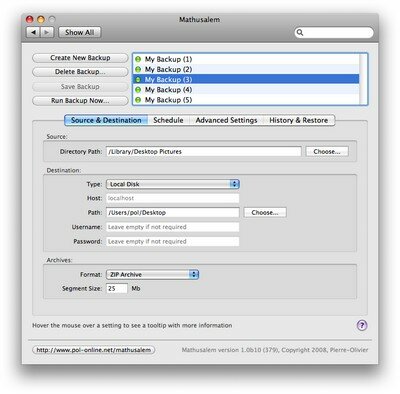
Offers FTP/SFTP, Amazon S3, WebDav, and SMB support for backups on OSX. Mathusalem can compress to zip and dmg, will resume failed uploads, and supports scheduling and command line launching. It’s also open source.
Server-Based
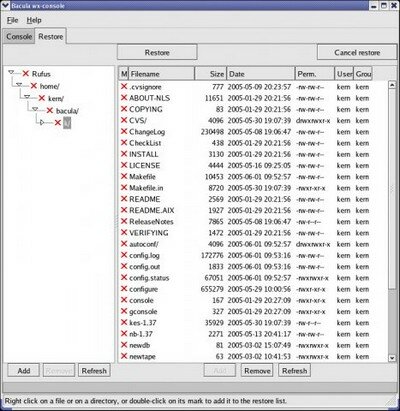
Bacula is an enterprise grade network backup solution that runs on just about every platform imagineable. It’s a much more complex system than the other options I’ve mentioned, but is extremely powerful and well-suited to a medium or large scale network.
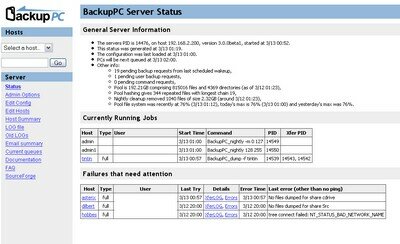
A Linux-based, client-free enterprise solution for backing up Windows and Linux machines. BackupPC uses SMB, tar, and rsync to extract backup data from client computers. It ’s got a powerful web-based interface for administrators and users, and will even email reminders to users that have been remiss in performing backups.
It’s a very flexible solution, and is open source.
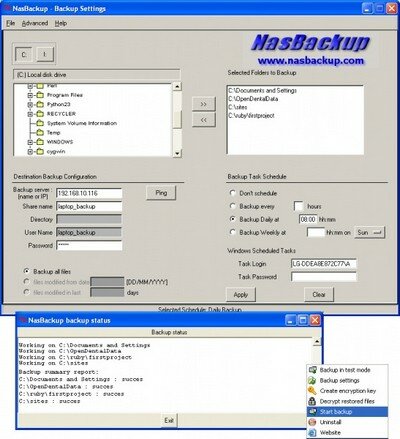
Uses a simple Windows GUI and rsync to perform backups from client machines to a central server. It’ll do incremental backups, scheduling, compression, encryption, and the server offers useful per-client controls like limiting the number of versions to store and expiration dates. It also provides daily summaries via email.
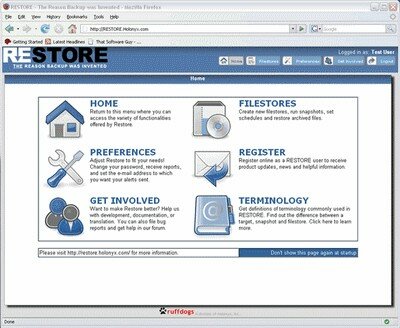
The self-proclaimed “reason backup was invented.” It’s definitely a great product, and full of terrific features. Its web interface is very easy to understand and use – and makes it easy for the mobile admin to monitor and control Restore from anywhere.
Restore supports FTP, WebDav, SSH/SFTP, and multiple revisions. It also provides powerful admin tools, making it easy to create and control users, groups, jobs, and scheduling.